Flashcards done write.
Easily craft beautiful flashcards from your own notes, PDFs, or EPUBs using reMarkable's native screenshot capture tool — or autogenerate them with our AI card generator. Then study them in a fully fledged AnkiWeb client flashcard reader that lets you write at reMarkable speed directly on both sides of the card. Easy to study, easy to reMember.
Built for reMarkable devices, starting with Paper Pro. Free beta on firmware 3.27 and 3.28 beta; the full app becomes a one-time purchase when reMember officially supports 3.28.
Create flashcards as you study Shipping in beta
Turn your handwritten notes, lecture slides, textbooks, PDFs, and EPUBs into cards without breaking your study flow. Capture Front and Back yourself, type either side, or let AI generate editable card suggestions from the page you are reading. Preview every card before saving it to your deck.
-
1
Study from your own material
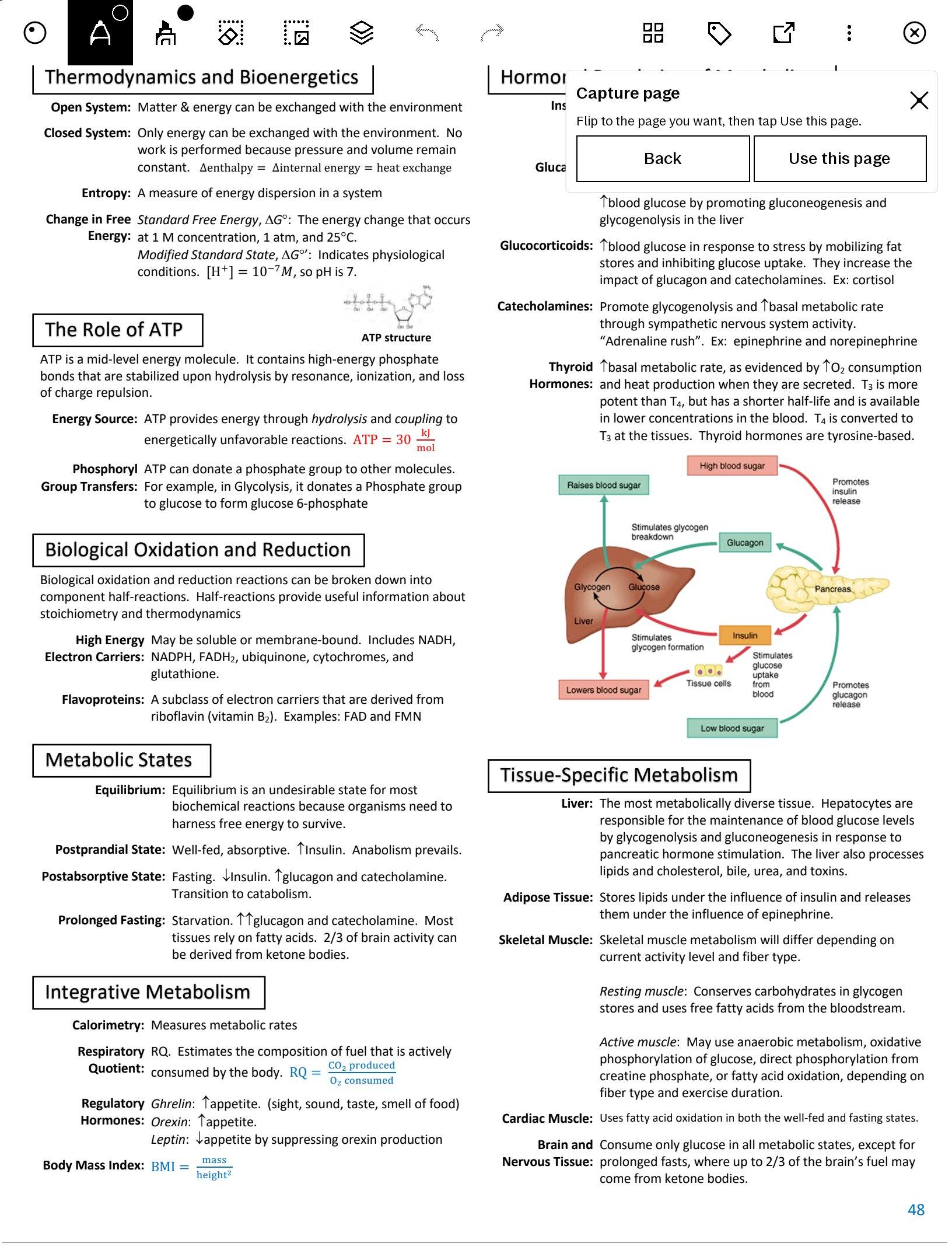
Open your class notes, a textbook PDF, lecture slides, an EPUB, or a handwritten notebook and start a flashcard without leaving the page.
-
2
Organize it for class
Add it to an existing Anki deck, or create a deck and subdecks for the course, chapter, unit, or upcoming exam.
-
3
Capture or generate
Select a diagram, definition, worked example, or passage for Front and Back; type text; or ask AI to turn the current material into editable questions and answers.
-
4
Review it before it joins your queue
Check the rendered card — including images and HTML formatting — edit anything AI suggested, then save. It syncs to AnkiWeb when you’re online.
Study in a real flashcard reader Shipping in beta
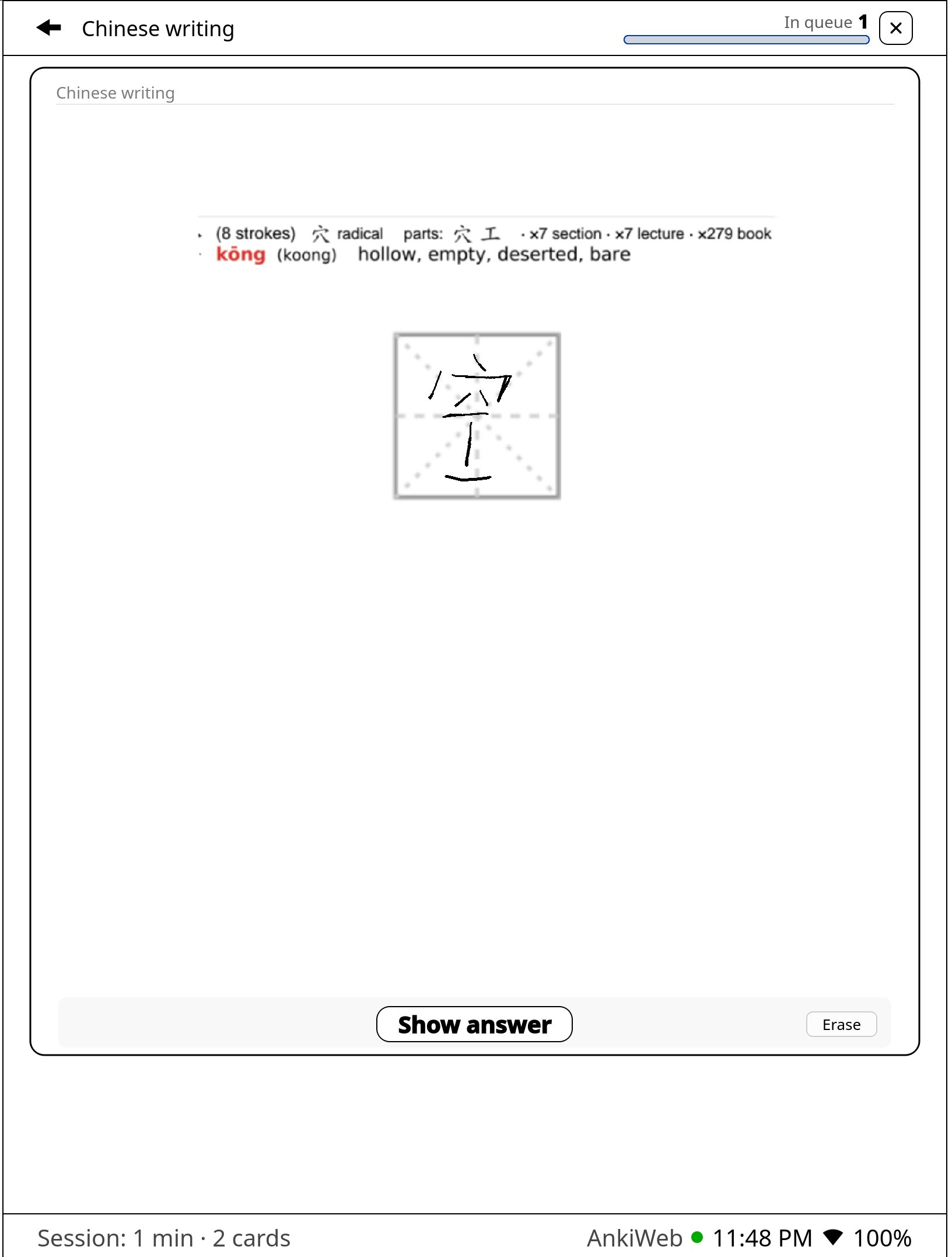
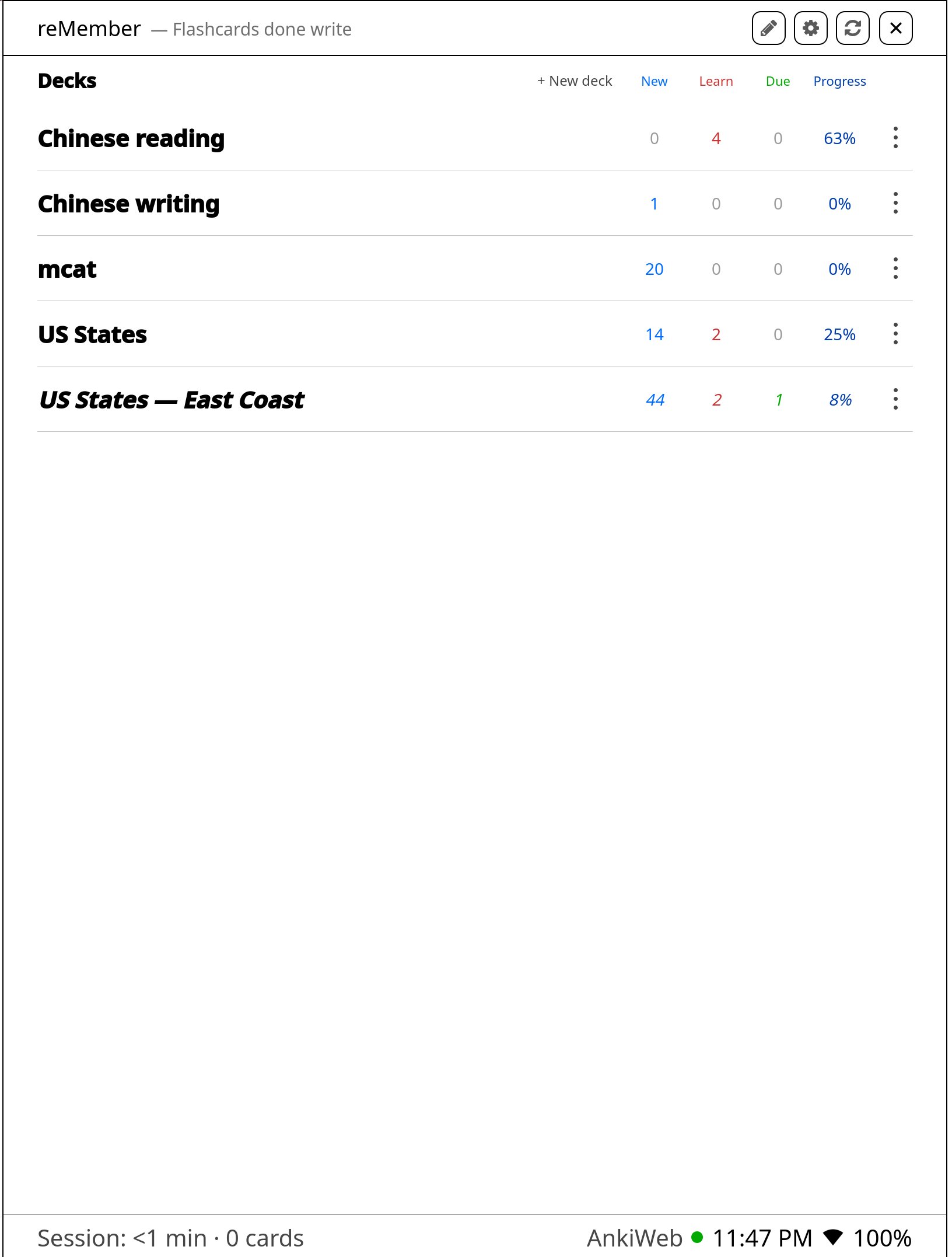
Review your decks in a full AnkiWeb client reader built for e-ink — write your answer at reMarkable speed directly on the card, reveal, then rate. Full HTML templates, images, and your Anki schedule, all on device.
-
Write directly on the card
Answer by hand at native reMarkable pen speed on the front or back — practice characters, work equations, or label diagrams, then reveal.
-
Your real Anki schedule
Rate with Again / Hard / Good / Easy. Reviews sync through AnkiWeb, so your streak and scheduling stay in step with Anki on every device.
-
Full HTML cards, on e-ink
Images, formatted text, math, cloze, language layouts, custom templates, and CSS all render on the tablet — the cards you already depend on.
-
Study exactly what the exam covers
Build filtered decks for a chapter, unit, tag, or topic without duplicating cards — great for tomorrow’s quiz or a cumulative final.
Seamless reMarkable flashcards
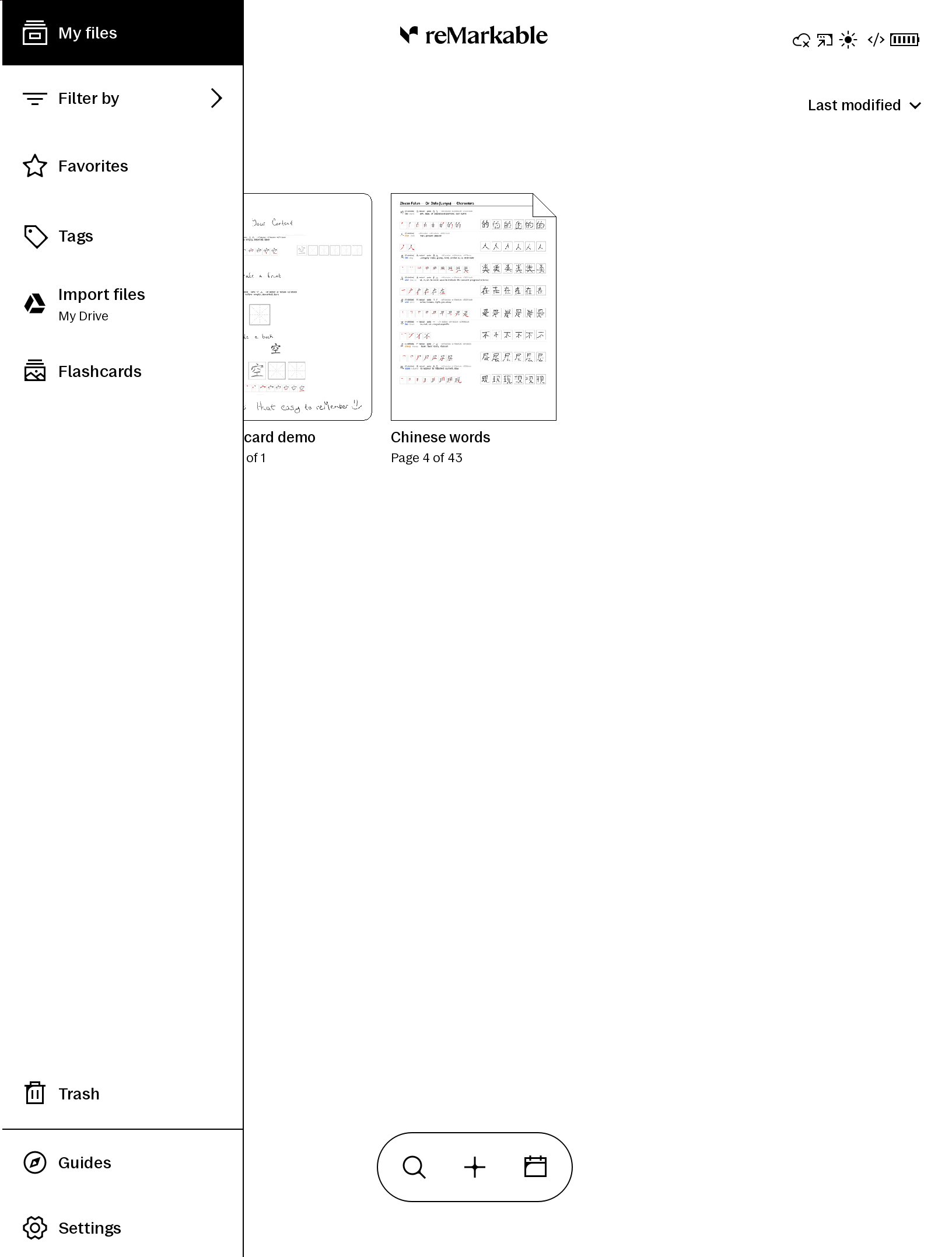
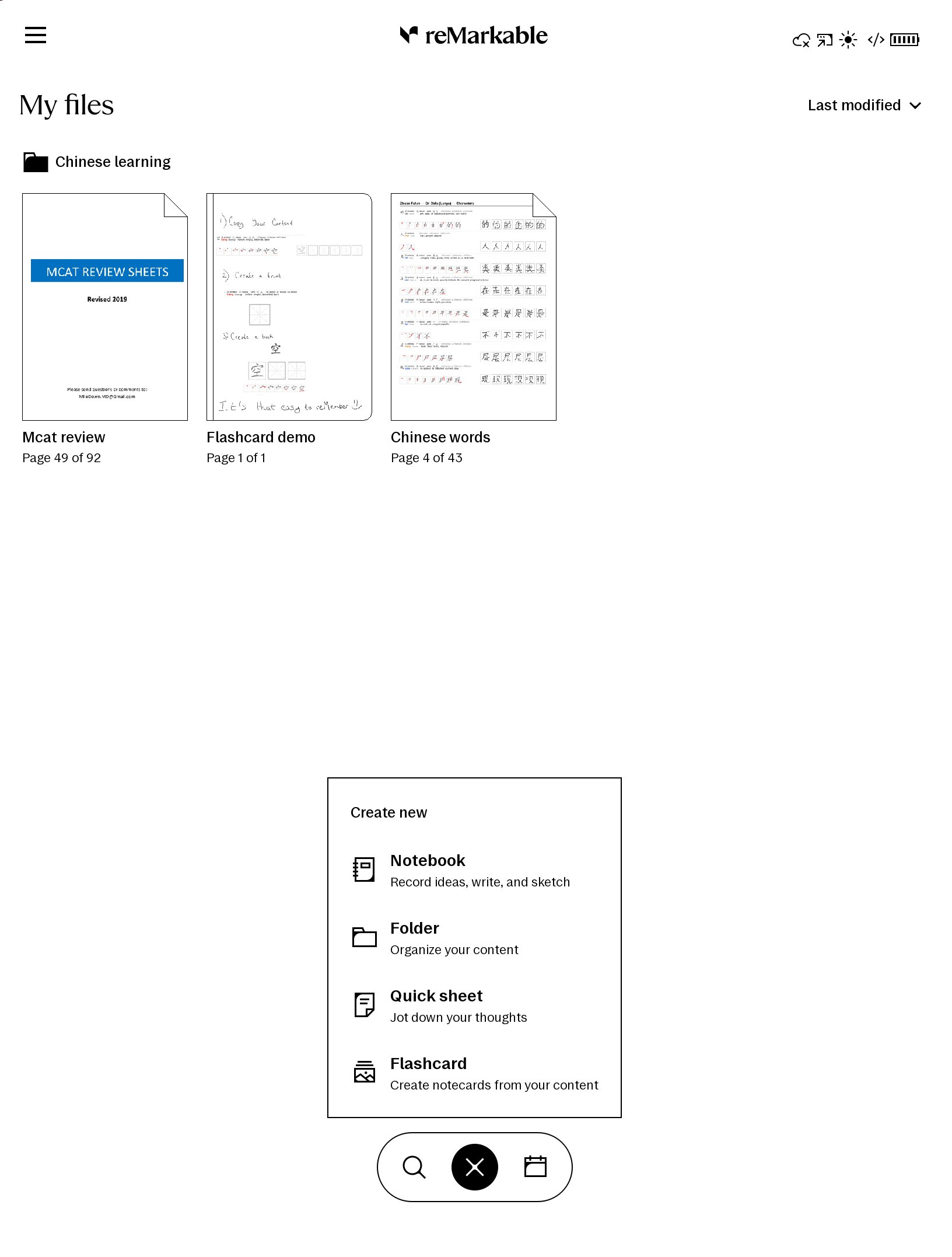
reMember lives right where you already work — in the reader, the sidebar, and the home create menu. It’s the same reMarkable experience you love, enhanced. No hacky mods, no separate app to fumble with.
-
Sidebar Open like any app
-
Home · create From the + menu
-
In the reader Clean in-reader capture
-
Native dialog Feels built-in
See it in action
Capture flow 54s
Where we’re headed
Start with a focused Paper Pro beta, make setup easier, then expand to a stable 3.28 release and more reMarkable devices.
-
Free beta on 3.27 & 3.28 beta
Create cards from notes, textbooks, PDFs, and EPUBs; generate editable suggestions with AI; study with AnkiWeb sync, native-speed pen writing, image-rich HTML cards, filtered decks, and on-device card management. The beta starts on Paper Pro.
-
Guided installer
A guided setup that explains every important step, warns before developer mode erases the tablet, helps restore your files, and protects supported firmware from surprise updates.
-
Full release when we support 3.28
Planned one-time purchase for the app and updates, with no yearly fee for the core product. Hosted AI becomes an optional monthly add-on, or you can connect your own AI provider key.
-
In-app OTAs & firmware guidance
See what changed, update the app from the installer, and get clear guidance before moving to a newly supported firmware.
-
More reMarkable devices
reMember starts with Paper Pro. Support for other reMarkable devices follows as each model is tested and the experience meets the same standard.
Join the waitlist
Get beta access updates and help shape pricing. Say which features you’d pay for, what a fair one-time price feels like, and whether you’d use hosted AI or connect your own provider. Prefer free study forever? Say that too — it still helps.
Open Exact dollar amounts TBD — free beta → one-time + optional AI is locked
We’ll only use your email for reMember updates. No spam, unsubscribe anytime. Not affiliated with reMarkable or Anki. See disclaimer.
Disclaimer
reMember is independent third-party software. It is not made, endorsed, sponsored, or supported by reMarkable AS (“reMarkable”) or by Anki / AnkiWeb. “reMarkable”, “Anki”, and related marks belong to their respective owners. Prefer “Anki-compatible” / “powered by Anki’s open-source engine” over any implied affiliation.
Installing or using this software requires developer mode and other custom software on your device. That can erase local data, reduce security, cause instability or data loss, and may void or limit warranty or protection-plan coverage under reMarkable’s policies. You are solely responsible for backing up your files and deciding whether to proceed.
Use at your own risk. To the fullest extent permitted by law, the authors and distributors of reMember disclaim all warranties and are not liable for any loss, damage, device failure, data loss, security issue, warranty denial, or other consequence arising from installing, using, or relying on this software.
reMarkable policies and support (read these before enabling developer mode):
- Developer mode
- Limited Warranty Policy
- Legal hub (terms, privacy, and product compliance)
- Privacy documentation
- Software recovery